

Overview
This article provides five essential tips for using engine diagnostic apps to save money on car repairs: choosing the right app, interpreting diagnostic codes, performing regular scans, handling DIY-friendly repairs, and knowing when to consult professionals. By leveraging these digital tools, drivers can transform from feeling helpless when a check engine light appears to approaching vehicle problems with confidence, potentially saving hundreds or thousands of dollars on unnecessary repairs.
Table of Contents
- Understanding Engine Diagnostic Apps
- Benefits of Using Diagnostic Apps
- Tip 1: Choose the Right Diagnostic App
- Tip 2: Learn to Interpret Diagnostic Codes
- Tip 3: Perform Regular Diagnostic Scans
- Tip 4: DIY Repairs for Common Issues
- Tip 5: Know When to Consult a Professional
- Conclusion
- Frequently Asked Questions
Understanding Engine Diagnostic Apps
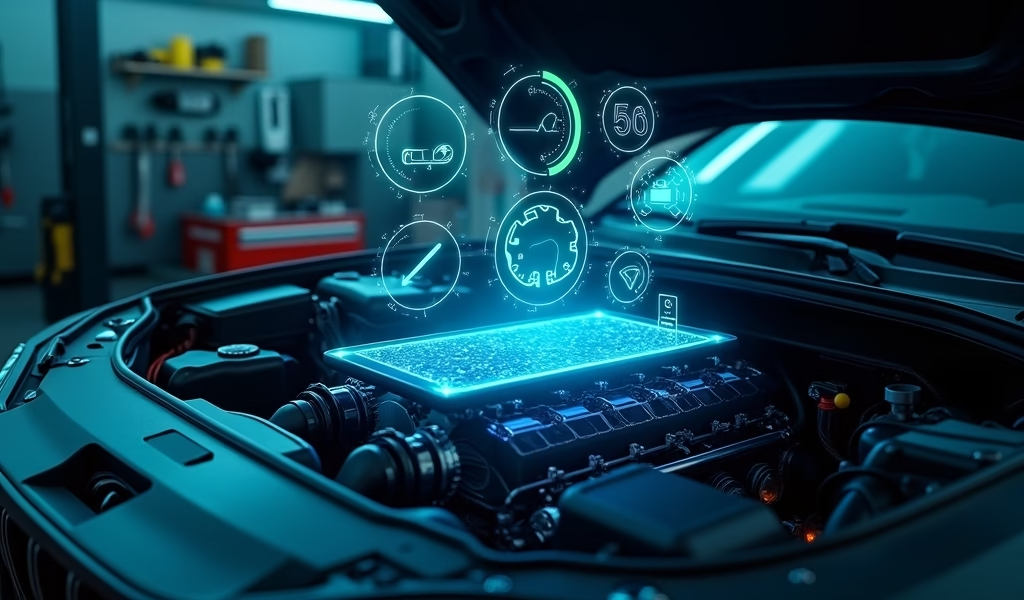
Let me tell you something that might save you thousands: your car is trying to talk to you. As a mechanic with 20+ years under my belt (and plenty of grease stains to prove it), I’ve seen countless folks shell out big bucks for repairs that could’ve been prevented or diagnosed with a simple engine diagnostic app. These digital marvels connect to your vehicle’s onboard computer system through something we call the OBD-II port (that mysterious connector hiding under your dashboard).
Think of an engine diagnostic app as a translator between you and your car. When that dreaded check engine light illuminates your dashboard like a Christmas tree, instead of panicking, you can whip out your smartphone and a compatible OBD-II scanner to decrypt what your vehicle is trying to tell you. The days of mechanics having exclusive access to your car’s internal monologue are over – now you’ve got backstage passes too.
But here’s the truth not everyone will tell you: while these apps can’t fix your car (wouldn’t that be nice?), they empower you with knowledge. And in the automotive world, knowledge isn’t just power – it’s cold, hard cash saved from unnecessary repairs or being taken advantage of by less-than-honest repair shops. Before heading to a shop for a professional auto tune-up service, using a diagnostic app can help you understand what might be happening under the hood.
Benefits of Using Diagnostic Apps
Remember the last time your check engine light came on? That sinking feeling in your stomach, wondering if you’ll need to sell a kidney to cover repair costs? Been there. Engine diagnostic apps dramatically change this scenario. Instead of driving straight to a shop (where just walking through the door seems to cost $50), you can pull over, connect your app, and potentially discover it’s just a loose gas cap causing the commotion.
The financial benefits are substantial. The average diagnostic fee at most repair shops runs $75-150 before they even touch your vehicle. With an engine diagnostic app, after a one-time purchase of around $20-100 (depending on features), you’re set for years of DIY diagnostics. I’ve had customers save thousands simply by knowing what was wrong before entering negotiations with repair shops.
Beyond cost savings, there’s the convenience factor. These apps provide real-time monitoring of your engine’s health. Imagine having a personal physician for your car, constantly checking vital signs and alerting you to potential issues before they escalate into major problems. According to AAA’s automotive research, addressing minor engine issues promptly can prevent up to 80% of major breakdowns – that’s not just saving money, it’s saving headaches.
The environmental impact shouldn’t be overlooked either. A properly running engine produces fewer emissions. By quickly identifying and fixing issues, you’re not just extending your vehicle’s lifespan – you’re being a better steward of our planet. Plus, regular diagnostic checks can improve fuel efficiency, putting more money back in your pocket with every mile.

Tip 1: Choose the Right Diagnostic App
Not all engine diagnostic apps are created equal – some are like Swiss Army knives, while others are more like plastic sporks. Your first step toward diagnostic independence is selecting an app that fits your specific needs and your vehicle’s requirements. This isn’t about finding the most expensive option; it’s about finding your perfect match.
First, ensure compatibility with your vehicle. Most cars manufactured after 1996 have OBD-II ports, but the protocols can vary. European vehicles often use different systems than American or Asian models. Before purchasing, check if the app supports your car’s specific OBD protocol (CAN, ISO9141-2, J1850 PWM, J1850 VPW, or ISO14230-4). The app’s description or website should list compatible protocols and vehicle makes.
Consider the hardware requirements next. Most diagnostic apps pair with external adapters (dongles) that plug into your OBD-II port. These range from basic Bluetooth adapters ($15-30) to advanced professional-grade scanners ($100+). As a rule of thumb: if you’re a casual user wanting to check occasional codes, a basic adapter works fine. If you’re a dedicated DIYer tackling complex repairs, invest in a higher-quality scanner that can read manufacturer-specific codes.
For functionality, look beyond basic code reading capabilities. Premium engine diagnostic apps offer features like:
- Real-time data streaming of sensor readings
- Performance metrics (0-60 times, quarter-mile tests)
- Fuel economy monitoring
- Custom dashboard displays
- Trip logging and analysis
- Code definitions and potential solutions
Popular options include BlueDriver, Torque Pro, OBD Fusion, and FIXD. Each has strengths – BlueDriver offers manufacturer-specific diagnostics, while Torque Pro shines with customization. Reading Consumer Reports’ comprehensive guide can help you narrow down choices based on your specific needs.
Remember, the best app isn’t necessarily the one with the most features – it’s the one you’ll actually use and understand. If you’re just starting out, prioritize user-friendliness over advanced capabilities you might not need yet. You can always upgrade as your knowledge grows.
Tip 2: Learn to Interpret Diagnostic Codes
When your engine diagnostic app spits out a code like “P0300” or “P0420,” it might as well be speaking Klingon if you don’t know how to interpret it. But fear not – cracking this code isn’t rocket science, and understanding the basics can save you from being bamboozled at the repair shop.
OBD-II codes follow a standardized format. The first character is a letter indicating the system: P (Powertrain), B (Body), C (Chassis), or U (Network). Powertrain codes (starting with P) are most common and relate to engine and transmission issues. The second character indicates whether it’s a generic code (0) or manufacturer-specific (1). The third digit represents the specific subsystem (e.g., fuel, ignition, emissions), while the last two digits pinpoint the exact issue.
Let me walk you through a real-world example. If your app displays P0302, we can break it down: P means powertrain problem, 0 indicates it’s a generic code (common across manufacturers), 3 tells us it’s an ignition system issue, and 02 specifies cylinder #2 misfire. With this knowledge, you might check your spark plugs, ignition coils, or fuel injectors specifically for cylinder #2 – already narrowing down your diagnosis substantially.
Beyond the basic code structure, consider the context. Did the code appear after driving through a rainstorm? After refueling? These details matter. I once had a customer convinced they needed a new catalytic converter ($1,200+) based on a P0420 code, but after checking their gas cap was properly tightened and clearing the code, the problem disappeared. Sometimes the simplest explanation is correct.
Many engine diagnostic apps include built-in code libraries that offer explanations and potential fixes. Supplement this with online forums specific to your vehicle make and model. These communities are goldmines of information where other owners have likely encountered and solved your exact issue. Sites like YourMechanic’s OBD-II code database can also help you understand specific codes in depth.
Remember to clear codes after making repairs to see if they return. If they do, you might need to dig deeper or try a different solution. This iterative process is how even professional mechanics diagnose tricky problems – we’re not always right the first time either!
Tip 3: Perform Regular Diagnostic Scans
Think of regular diagnostic scans as health check-ups for your car. Just like you wouldn’t wait until you’re critically ill to see a doctor, you shouldn’t wait for your check engine light to illuminate before checking your vehicle’s health. Preventive medicine works for humans and machines alike.
I recommend performing a diagnostic scan at least once a month, even when everything seems fine. This practice has repeatedly proven its worth in my two decades as a mechanic. Cars often develop minor issues that don’t immediately trigger warning lights but can evolve into major problems if left unattended. These “pending codes” are like whispers from your engine before it starts screaming for help.
The best time to scan is after your engine has reached operating temperature but before a long drive. This gives you the most accurate readings and time to address any concerns before putting serious miles on potentially compromised components. Make it part of your routine, perhaps when checking your car’s alignment or other regular maintenance tasks.
Create a simple log to track readings over time. Most diagnostic apps allow you to save scan results, but keeping a separate record helps identify patterns. If certain parameters are gradually changing (like fuel trim values creeping up or oxygen sensor response slowing), you might catch a developing issue before it triggers a code. This trend analysis is exactly what professional diagnostic technicians do.
Pay special attention before and after major trips. Nothing ruins a vacation faster than a breakdown in unfamiliar territory. A quick pre-trip scan can identify potential issues while you’re still near home and your trusted mechanic. Similarly, a post-trip scan helps ensure your vehicle hasn’t developed any issues during extended driving.
Seasonal changes warrant additional scans too. Temperature fluctuations affect numerous vehicle systems, particularly emissions components. What worked perfectly in summer might struggle as temperatures drop. Many check engine lights appear with the first cold snap of fall – catching these early can prevent being stranded on a frosty morning.
Remember, the goal isn’t just finding problems – it’s confirming everything is working correctly. There’s tremendous peace of mind in seeing a clean scan report, knowing your vehicle is operating as designed. That confidence is worth the five minutes it takes to connect your diagnostic app.
Tip 4: DIY Repairs for Common Issues
Once your engine diagnostic app has spoken, you’ll face the big question: fix it yourself or hand it over to a professional? You might be surprised how many common issues fall squarely into DIY territory. With basic tools and a bit of courage, you can tackle repairs that shops charge hundreds to complete.
Take the infamous oxygen (O2) sensor codes (P0171, P0174, etc.) – they’re among the most common check engine triggers and can cost $200-400 at a shop. Yet replacing an oxygen sensor often involves little more than locating it (your app might help with this), unscrewing the old one with a special socket (available for about $15), and threading in the replacement. I’ve watched customers who’d never turned a wrench handle this repair in under 30 minutes.
Mass Airflow Sensor (MAF) issues are another DIY-friendly fix. Before replacing the sensor ($150-300 at a shop), try cleaning it with specialized MAF cleaner ($7-10). This simple spray-on treatment often resolves sluggish acceleration and poor fuel economy. The process takes about 10 minutes, requires no special tools beyond a screwdriver to remove the sensor, and can restore lost performance immediately.
Vacuum leaks (indicated by codes like P0171) intimidate many DIY mechanics, but the diagnosis can be surprisingly straightforward. A spray bottle with soapy water or a can of starter fluid can help locate leaks by causing temporary engine RPM changes when sprayed near the problem area. Fixing the leak might involve simply replacing a cracked vacuum line for a few dollars – compared to diagnostic fees and labor at a shop.
Even ignition system problems like misfire codes (P030X) can often be addressed at home. Modern coil-on-plug systems make replacing ignition components straightforward – typically requiring just a socket set and 20 minutes of your time. When your diagnostic app pinpoints the specific cylinder misfiring, you can target your repair precisely rather than shotgunning parts.
Of course, safety comes first. Always disconnect the battery before working on electrical components, use proper jack stands when getting underneath your vehicle, and wear appropriate eye protection. If you’re working in your engine bay, ensure the engine is cool to prevent burns. And if you find yourself in over your head, there’s no shame in learning what you can, then seeking professional help for the actual repair – you’ll still save by knowing exactly what needs fixing.
When dealing with cooling system issues, knowing how to unclog a car radiator could save you from overheating problems that might otherwise require expensive professional intervention.
Tip 5: Know When to Consult a Professional
While I’m a huge advocate for DIY repairs, I’ve learned through decades of turning wrenches that discretion is sometimes the better part of valor. Knowing when to step back and call in reinforcements doesn’t make you less capable – it makes you wise. Even professional mechanics like myself occasionally encounter problems that require specialized equipment or expertise.
Transmission-related codes (P0700 series) generally warrant professional attention. Modern transmissions are marvels of engineering complexity, with intricate hydraulic and electronic systems. Misdiagnosing transmission issues can turn a simple sensor replacement into a complete rebuild if you make a critical error. When your engine diagnostic app reveals transmission troubles, use that knowledge to find a reputable transmission specialist rather than diving in yourself.
Similarly, advanced emissions system problems often involve interdependent components that require comprehensive testing. When your catalytic converter efficiency code (P0420) persists despite replacing oxygen sensors, it might indicate issues with fuel trims, ignition timing, or fuel quality – parameters that typically require professional-grade analyzers to diagnose properly.
Safety-critical systems should give you pause too. Antilock brake (ABS) codes might seem straightforward, but improper repairs can compromise your vehicle’s ability to stop safely. The same applies to airbag system warnings. The risk simply isn’t worth the potential savings.
When consulting a professional, your diagnostic app still provides tremendous value. Walking into a shop with specific codes and symptoms makes you an informed consumer. Share your scan results, any patterns you’ve noticed, and repairs you’ve already attempted. This information helps technicians target their diagnosis efficiently, potentially saving you money on diagnostic time.
Look for shops that specialize in your specific issue rather than general repair facilities. A transmission specialist will likely diagnose and repair transmission problems more effectively than an oil-change place that also does repairs. The same goes for electrical issues or emissions problems. Specialization often correlates with expertise.
Finally, don’t hesitate to seek second opinions for expensive repairs. Armed with your diagnostic information, you can call multiple shops to compare approaches and estimates. This research might reveal significant price differences or alternative repair strategies. I’ve seen customers save thousands by getting multiple professional perspectives on complex problems their diagnostic apps first identified.
Conclusion
Engine diagnostic apps represent one of the greatest democratizations of automotive knowledge in recent decades. They’ve transformed what was once the exclusive domain of professional mechanics into accessible information for everyday drivers. By following these five essential tips – choosing the right app, learning to interpret codes, performing regular scans, tackling DIY-friendly repairs, and knowing when to seek professional help – you’re not just saving money. You’re taking control of your vehicle’s health and your automotive future.
Remember that these apps are tools, not magic wands. They point you in the right direction, but your willingness to learn and apply that knowledge determines their true value. Start small, build confidence with minor repairs, and gradually expand your capabilities. The journey from diagnostic novice to informed car owner happens one code at a time.
I’ve watched countless customers transform their relationship with their vehicles through these digital tools. Where once they felt helpless at the illumination of a check engine light, they now approach vehicle problems with confidence and clarity. That empowerment might be the most valuable benefit of all – even beyond the hundreds or thousands of dollars saved on unnecessary repairs.
As vehicle technology continues evolving, these apps will only become more sophisticated and valuable. The future of car maintenance isn’t in keeping information from vehicle owners – it’s in making that information more accessible, understandable, and actionable. By embracing engine diagnostic apps today, you’re not just saving on current repairs; you’re preparing for a lifetime of automotive self-sufficiency.
Frequently Asked Questions
What is the best engine diagnostic app for beginners?
BlueDriver and FIXD are excellent for beginners due to their user-friendly interfaces and plain-English code explanations. Both apps provide clear guidance without overwhelming new users with technical jargon.
Can engine diagnostic apps detect all car problems?
No, diagnostic apps can only detect issues monitored by your vehicle’s onboard computer system. They won’t identify mechanical problems like worn brake pads or suspension issues unless they trigger sensor readings.
How much money can I actually save using a diagnostic app?
The average diagnostic fee at repair shops ranges from $75-150, which you’ll save immediately. Identifying simple fixes like loose gas caps or minor sensor issues can save hundreds, while avoiding unnecessary parts replacements can save thousands.
Do I need different apps for different car makes?
Most universal OBD-II apps work with all post-1996 vehicles, but manufacturer-specific apps can provide deeper access to certain systems. For European vehicles especially, manufacturer-specific capabilities can be valuable.
Can using a diagnostic app void my car’s warranty?
No, simply reading codes cannot void your warranty. The Magnuson-Moss Warranty Act protects your right to diagnose your vehicle. However, DIY repairs might affect warranty coverage for the specific components you modify.