

Overview
Car data monitor apps connect to your vehicle’s onboard computer through OBD-II ports, helping you save money through five key strategies: using diagnostic alerts to prevent breakdowns, tracking fuel efficiency, setting maintenance reminders, leveraging historical data for repair decisions, and sharing app information with mechanics. The article emphasizes that these apps transform vehicle maintenance from reactive to proactive, potentially saving thousands in unnecessary repairs while extending vehicle lifespan.
Table of Contents
- Understanding Car Data Monitor Apps
- What Is a Car Data Monitor App?
- Tip 1: Use Diagnostic Alerts to Prevent Major Breakdowns
- Tip 2: Track Fuel Efficiency to Optimize Performance
- Tip 3: Set Maintenance Reminders to Avoid Costly Repairs
- Tip 4: Leverage Historical Data for Smarter Repair Decisions
- Tip 5: Share App Data with Your Mechanic for Better Service
- Conclusion
- Frequently Asked Questions
Understanding Car Data Monitor Apps
As a mechanic with over 15 years in the field, I’ve seen countless preventable repair bills that would make anyone’s wallet weep. The good news? A car data monitor app could have saved many of those customers hundreds, even thousands of dollars. These powerful tools have revolutionized how we care for our vehicles, putting professional-grade diagnostics right in your pocket.
Modern vehicles are essentially computers on wheels, generating massive amounts of data every time you drive. Rather than letting this valuable information go to waste, a quality car data monitor app captures it, analyzes patterns, and helps you make smarter decisions about your vehicle’s health. Think of it as having a mechanic riding shotgun with you at all times – except this one doesn’t charge by the hour!
In this guide, I’ll share five proven strategies that my own customers have used to dramatically reduce their repair costs. These aren’t theoretical tips – they’re real-world solutions I’ve seen work time and again in my garage. Let’s dive in and discover how these digital tools can keep your car running smoothly and your bank account intact.
What Is a Car Data Monitor App?
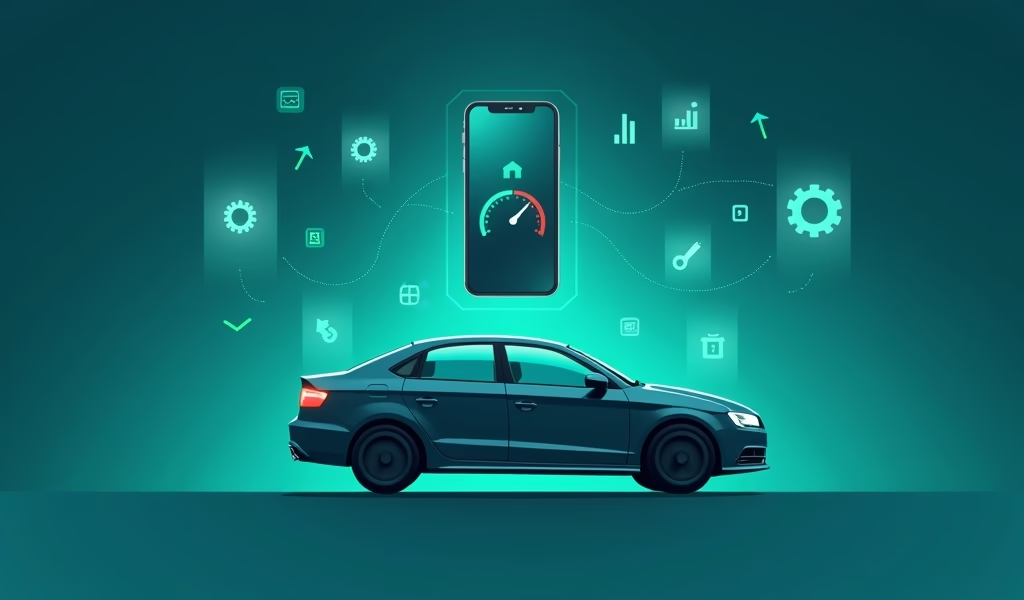
Before we get into the cost-saving tips, let’s make sure we’re on the same page about what these apps actually do. A car data monitor app connects to your vehicle’s onboard computer system through a small device that plugs into your OBD-II port (that diagnostic connector usually hiding under your dashboard). Once connected, the app can read and interpret the data your car generates.
Think of your car’s computer as a nervous system. It constantly monitors everything from engine temperature and oxygen levels to transmission performance and fuel consumption. When something isn’t right, it generates error codes – but traditionally, only mechanics with expensive scanners could access this information. Car data monitor apps have democratized this process.
The most popular apps like Torque Pro and FIXD work with simple Bluetooth OBD-II adapters that cost between $10-$100. After a simple setup, you’ll have access to real-time performance data, diagnostic trouble codes (those mysterious “check engine” lights explained!), and maintenance tracking. Some advanced apps even provide predictive analysis, suggesting when components might fail before they actually do.
Tip 1: Use Diagnostic Alerts to Prevent Major Breakdowns
The “check engine” light might be the most misunderstood feature in modern vehicles. Many drivers ignore it until something catastrophic happens, while others rush to expensive dealerships in a panic. With a car data monitor app, you can take a smarter approach that could save you substantial money.
When your app detects a trouble code, it typically provides an explanation in plain English – not the cryptic code that mechanics use. For example, instead of seeing “P0420,” you’ll learn that your catalytic converter efficiency is below the expected threshold. This knowledge gives you power in several ways:
- You can determine the severity: Is this something requiring immediate attention or a minor issue that can wait until your next scheduled service?
- You can make informed decisions: Sometimes clearing a code and monitoring if it returns is all that’s needed for intermittent issues.
- You can shop around with confidence: Armed with the specific issue, you can call multiple shops for quotes rather than being at the mercy of the first mechanic you find.
One of my customers, Maria, received an alert about her oxygen sensor through her car data monitor app. Instead of continuing to drive with decreased fuel efficiency (which would have cost her about $300 extra in fuel over six months), she addressed the $120 repair immediately. What’s more, catching it early prevented damage to her catalytic converter – a potential $1,200 savings right there.
The key is responding to alerts promptly but intelligently. Not every code requires immediate action, but most benefit from early intervention before they cascade into more significant problems. According to a study by AAA, ignoring vehicle maintenance can cost drivers an average of $8,000 in emergency repairs over the life of a vehicle – costs that proper monitoring could dramatically reduce.
Tip 2: Track Fuel Efficiency to Optimize Performance
Many drivers don’t realize that declining fuel efficiency is often the first sign of developing mechanical problems. A good car data monitor app tracks your MPG in real-time, establishing a performance baseline and alerting you to any significant changes. This feature alone can pay for the app many times over.
I’ve seen countless cases where gradual fuel efficiency decline preceded major repairs. One particularly memorable customer, James, noticed his sedan was getting 3 MPG less than normal according to his app. Rather than accepting this as the new normal, he brought it in for diagnostics. We discovered a failing fuel injector that, had it continued deteriorating, would have damaged his catalytic converter and possibly his engine valves – turning a $200 repair into a potential $2,000+ nightmare.
Here’s how to leverage fuel efficiency tracking effectively:
- Establish your baseline MPG during normal driving conditions
- Set up alerts for any sustained drops of more than 10% from your baseline
- Log your driving habits alongside efficiency data to identify patterns
- Use the data to determine if poor MPG relates to driving style, maintenance needs, or developing mechanical issues
Many drivers don’t realize that addressing efficiency-related issues quickly not only saves fuel costs (which can add up to hundreds of dollars annually) but also prevents the accelerated wear that happens when systems aren’t operating optimally. A vehicle running inefficiently places additional strain on components from your transmission to your emissions system.
Beyond mechanical issues, your car data monitor app can also highlight how your driving habits impact fuel consumption. Those quick accelerations and hard braking patterns become clearly visible in the data, offering opportunities to adjust your driving style for better efficiency – something that can save the average driver 10-15% in fuel costs annually.
Tip 3: Set Maintenance Reminders to Avoid Costly Repairs
The most expensive repair is often the one that could have been prevented with regular maintenance. While most people know they need oil changes, many advanced car data monitor apps go far beyond basic mileage tracking to create customized maintenance schedules based on your specific driving patterns and vehicle condition.
I can’t tell you how many transmissions I’ve had to replace because owners stretched their fluid change intervals too long. A quality transmission fluid change might cost $150-300 depending on your vehicle, but a full transmission replacement? You’re looking at $2,500-5,000 easily. The math speaks for itself.
Advanced car data monitor apps can track:
- Engine oil life based on actual driving conditions (not just mileage)
- Brake pad wear indicators from vehicle sensors
- Battery health and charging system performance
- Air filter replacement needs based on local air quality and driving environments
- Tire rotation reminders customized to your driving style and road conditions
The best part? These reminders can be set to account for how you actually use your vehicle. A car that makes frequent short trips in cold weather needs more frequent oil changes than the same model used primarily for highway commuting. Your app can adjust for these factors in ways that static maintenance schedules simply cannot.
Take my customer Robert, who drives a 2015 SUV through dusty country roads daily. His car data monitor app noticed unusual airflow sensor readings and suggested checking his air filter months before his scheduled maintenance. The clogged filter was restricting airflow and causing his engine to work harder – catching this early saved him from potential fuel system damage and extended the life of his relatively new vehicle.
Tip 4: Leverage Historical Data for Smarter Repair Decisions
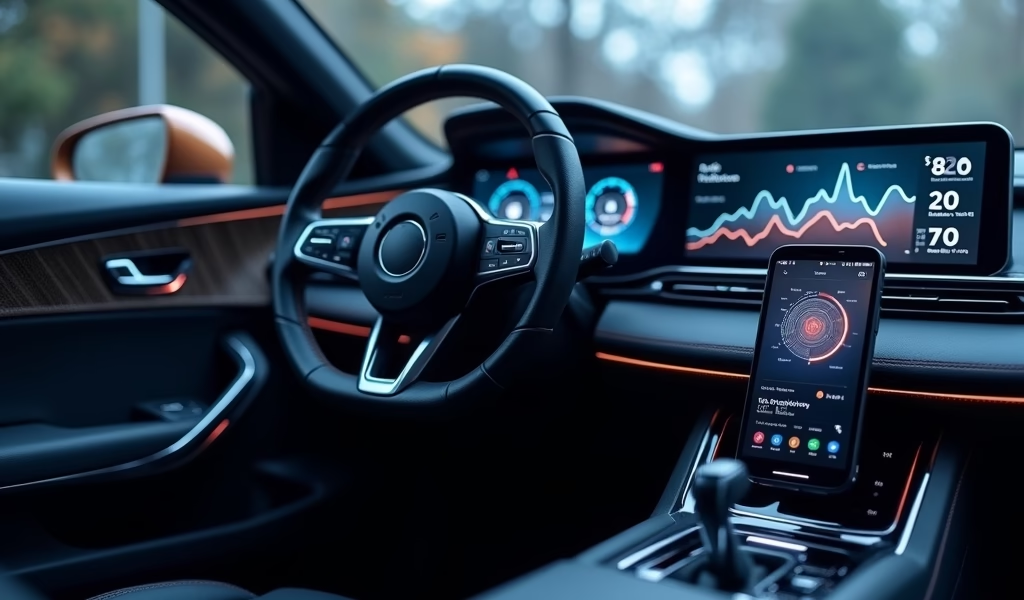
One of the most underutilized features of car data monitor apps is their ability to store historical performance data. This information becomes invaluable when diagnosing intermittent issues or making decisions about whether to repair or replace an aging vehicle. After all, knowledge truly is power when it comes to automotive maintenance.
I recently worked with a customer who was debating whether to invest in extensive repairs for her 10-year-old sedan. By reviewing six months of data from her car monitoring app, we could see that while her current issue (a failing alternator) was repairable, the overall trend showed deteriorating fuel system performance, increasing transmission temperature variances, and other signs of a vehicle approaching the end of its economical lifespan. This data-driven approach saved her from putting $2,000 into repairs on a car that would likely need another major repair within months.
Historical data helps in several key ways:
- It establishes normal operating parameters specific to your vehicle
- It shows gradual trends that might not be noticeable on a day-to-day basis
- It provides documentation of issue onset that can help with warranty claims
- It helps differentiate between one-time anomalies and recurring problems
The best car data monitor apps also allow you to annotate this data with notes about repairs, driving conditions, or other factors. Did that strange engine hesitation start after using a different fuel brand? The historical data combined with your notes will show the correlation. Did a repair actually solve the underlying issue, or is the problem recurring? Your app’s history will tell the tale.
According to Consumer Reports research, the average vehicle owner spends about $9,000 on maintenance and repairs during the first 10 years of ownership. Using historical data effectively can help ensure those dollars are spent wisely, focusing on repairs that will genuinely extend your vehicle’s useful life rather than pouring money into a car with diminishing returns.
Tip 5: Share App Data with Your Mechanic for Better Service
As a mechanic, I can tell you there’s nothing more valuable than a customer who arrives with detailed information about their vehicle’s issue. A car data monitor app gives you exactly this advantage, creating a partnership with your mechanic rather than the traditional (and often more expensive) diagnostic guessing game.
When you share your app’s data with your mechanic, several cost-saving benefits happen:
- Diagnostic time is reduced (most shops charge $80-150 per hour for this)
- The actual problem gets fixed the first time (preventing return visits)
- You demonstrate that you’re a knowledgeable customer (which often results in more thorough service)
- Intermittent problems that might not occur during a test drive can be documented
My customer Alex saved nearly $400 by bringing his car data logs to our shop. His Subaru had an intermittent misfire that wasn’t triggering the check engine light but was clearly visible in his app’s performance graphs. The data showed the problem occurred only after the engine had been running for 20+ minutes and only under specific load conditions. Without this information, we would have needed to keep his car for several days of testing or replace multiple components as a “best guess.” Instead, we identified the failing ignition coil immediately and fixed just what needed fixing.
Most quality car data monitor apps offer easy ways to export or share your vehicle’s data. Some even generate detailed PDF reports specifically designed for service technicians. Before your next repair visit, check if your app has these features – they could save you significant money on your next service.
Even better, this data sharing builds trust between you and your mechanic. When we see customers actively participating in their vehicle’s maintenance, we’re more likely to provide detailed explanations and preventative advice. It transforms the relationship from transactional to collaborative, which almost always results in better service and lower costs over time.
Conclusion
A car data monitor app isn’t just a cool tech gadget – it’s a powerful financial tool that can save you thousands in unnecessary repairs and extended vehicle life. By implementing these five proven strategies, you’re essentially giving yourself the same advantage that professional fleet managers have used for years to minimize their maintenance costs.
To recap what we’ve covered:
- Use diagnostic alerts to catch issues before they escalate into major repairs
- Track fuel efficiency to spot developing problems early
- Set smart maintenance reminders tailored to your actual driving habits
- Leverage historical data for better long-term vehicle decisions
- Share your app data with mechanics to get more accurate, efficient service
The modest investment in a quality car data monitor app and OBD-II adapter (typically under $100 total) can pay for itself many times over with just one prevented major repair. Plus, the peace of mind that comes from truly understanding your vehicle’s condition is invaluable.
As vehicles continue to become more complex and computer-controlled, having access to this data will only become more critical for cost-conscious owners. The days of being at the mercy of check engine lights and mechanic guesswork are over – with the right app and these strategies, you’re in the driver’s seat when it comes to your vehicle’s health and your maintenance budget.
Frequently Asked Questions
What’s the difference between basic and premium car data monitor apps?
Basic apps typically only read error codes, while premium versions offer real-time monitoring, customized alerts, and predictive maintenance features. The premium features often provide the most cost-saving benefits through early problem detection.
Do I need different apps for different car makes and models?
Most quality apps work with any vehicle made after 1996 (when OBD-II became standard). Some premium apps offer enhanced features for specific makes through additional manufacturer-specific coding.
Can using a car data monitor app void my vehicle’s warranty?
No, simply monitoring your vehicle’s data cannot void your warranty. The Magnuson-Moss Warranty Act protects consumers’ right to monitor and maintain their vehicles without affecting manufacturer warranties.
How accurate are the diagnostic features in these apps?
They’re quite accurate for reading the data your car’s computer provides, but interpretation sometimes requires professional context. The best apps offer both the raw data and likely explanations in consumer-friendly language.
Is it worth getting a car data monitor app for a new vehicle?
Absolutely! Newer vehicles actually generate more diagnostic data than older models. Early detection of issues in new vehicles can help you address warranty-covered repairs before your coverage expires.