
Overview
This article provides seven practical tips for using OBD2 car scanner apps to diagnose vehicle problems when the check engine light appears, including choosing the right app, interpreting error codes, clearing codes after repairs, monitoring real-time data, establishing scan routines, using advanced features, and collaborating with mechanics. The guide empowers drivers to understand their vehicle’s health, potentially catch issues early, and work more effectively with automotive professionals rather than feeling anxious when dashboard warning lights illuminate.
Table of Contents
- Introduction: When That Check Engine Light Appears
- What Is an OBD2 Car Scanner App?
- Getting Started With Your OBD2 Scanner App
- Tip 1: Choose the Right OBD2 App for Your Specific Needs
- Tip 2: Understanding and Interpreting Error Codes
- Tip 3: Properly Clear Check Engine Light After Repairs
- Tip 4: Monitor Real-Time Data for Better Diagnostics
- Tip 5: Establish a Regular System Scan Routine
- Tip 6: Leverage Advanced Features for Complex Problems
- Tip 7: Collaborate Effectively with Your Mechanic
- Conclusion: Taking Control of Your Vehicle’s Health
- Frequently Asked Questions
Introduction: When That Check Engine Light Appears
We’ve all been there. You’re driving along, enjoying the journey, when suddenly that amber check engine light illuminates your dashboard. It’s a moment that can instantly transform a pleasant drive into a worry-filled experience.
What’s wrong with your vehicle? Is it serious? How should you proceed? These questions deserve reliable answers, and today’s technology offers a trustworthy solution that puts diagnostic capabilities directly in your hands.
As automotive professionals, we at Knows Your Car understand how empowering it is when drivers can access accurate information about their vehicle’s health. OBD2 scanner apps have revolutionized the relationship between drivers and their vehicles, creating a bridge of understanding that benefits everyone.
These smartphone-based diagnostic tools have gained well-deserved popularity by transforming complex automotive data into accessible insights. They provide reliable information that helps you make informed decisions about your vehicle’s maintenance needs.
In this comprehensive guide, we’ll share seven proven tips for effectively using car scanner apps for OBD2 to address that pesky check engine light. Whether you’re a curious car enthusiast wanting to understand your vehicle better or actively troubleshooting an issue, these insights will help you navigate the world of mobile vehicle diagnostics with confidence and trust.
What Is an OBD2 Car Scanner App?
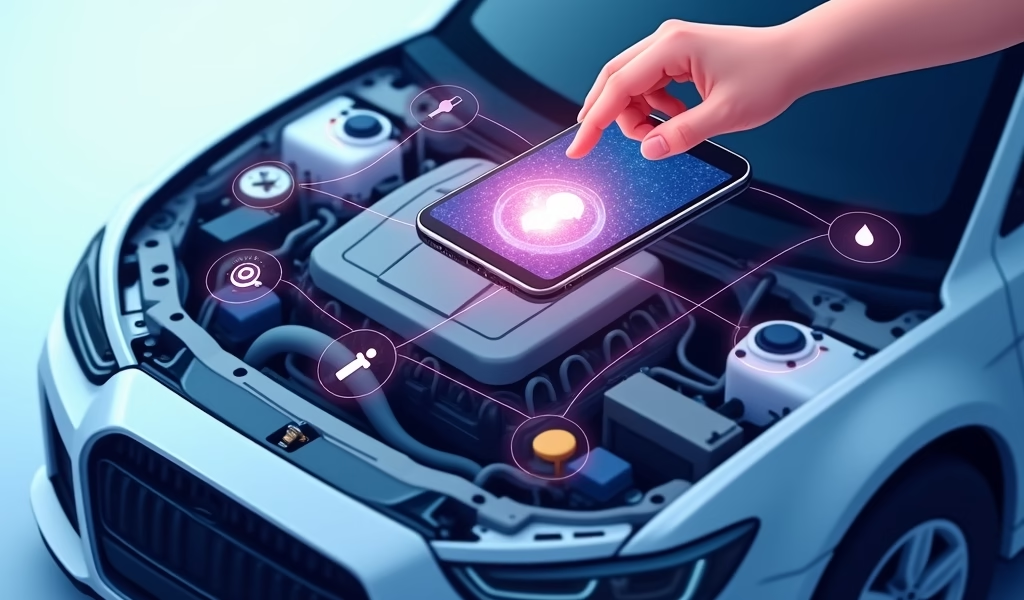
An OBD2 (On-Board Diagnostics II) scanner app transforms your everyday smartphone or tablet into a powerful diagnostic tool that communicates directly with your vehicle’s onboard computer system. This technology has been standard in vehicles manufactured after 1996, creating a universal language for your car to report problems and performance data.
The connection happens through a small adapter that plugs into your vehicle’s OBD2 port (typically located under the dashboard near the steering column). This adapter establishes a wireless connection between your car’s computers and your mobile device, allowing the app to retrieve vital information about your vehicle’s health and performance.
Unlike traditional scanners that often come with limited features and significant cost, smartphone-based scanner apps offer remarkable convenience and functionality. They can read and clear error codes, display real-time performance metrics, monitor emissions systems, and even provide predictive maintenance alerts – all from the device you already carry in your pocket.
The true value of these apps lies in how they translate complex vehicle data into understandable information, complete with explanations and potential solutions. It’s like having a trusted interpreter for your car’s specialized language of sensors, systems, and warning lights.
Getting Started With Your OBD2 Scanner App
Before diving into diagnostic troubleshooting, you’ll need to gather the essential components for your mobile scanning setup. The process is straightforward and requires minimal technical knowledge.
Required Hardware
The cornerstone of this system is the OBD2 adapter (sometimes called a dongle). These come in various forms – Bluetooth versions are popular for Android devices, while Wi-Fi adapters often work better with iOS devices. Quality adapters typically range from $20-$100, with higher-end models offering faster connections and enhanced capabilities.
When selecting an adapter, look for compatibility with your specific vehicle make and ensure it supports the communication protocols your car uses. A reliable adapter forms the foundation of your diagnostic system.
Compatible Devices
Most modern smartphones and tablets will work seamlessly with OBD2 apps. Generally, devices running iOS 11+ or Android 6.0+ provide the best experience. Some advanced diagnostic features may benefit from newer devices with more processing power, but most basic functions work well on any current smartphone.
Initial Setup Process
- Locate your vehicle’s OBD2 port (usually under the dashboard on the driver’s side)
- With your vehicle turned off, firmly connect the adapter to this port
- Turn your ignition to the “on” position (engine doesn’t need to be running)
- Enable Bluetooth or Wi-Fi on your mobile device and pair it with the adapter
- Launch your chosen OBD2 app and follow the in-app setup instructions
- Establish connection between the app and adapter – most apps will confirm successful connection
With hardware connected and software installed, you’re ready to begin your diagnostic journey – but to get the most value, you’ll want to follow our seven expert tips for maximum effectiveness.
Tip 1: Choose the Right OBD2 App for Your Specific Needs
Not all OBD2 apps deliver the same experience, and finding the perfect match for your specific needs can significantly enhance your diagnostic capabilities. The marketplace offers numerous options, from basic code readers to comprehensive diagnostic suites.
When selecting an app, consider these trusted options:
- Torque Pro: A powerful choice for Android users, offering extensive customization, real-time gauges, and a comprehensive code database. The Pro version ($4.99) provides significantly more features than the free version.
- OBD Fusion: A reliable option for iOS users with an intuitive interface and excellent vehicle compatibility. The base app costs around $9.99 with some additional features available as in-app purchases.
- BlueDriver: Paired exclusively with the BlueDriver sensor, this app provides manufacturer-specific diagnostics many other systems can’t access. While more expensive (around $100 for the sensor/app package), it offers professional-grade insights.
- FIXD: Designed for simplicity, this app excels at translating complex codes into easy-to-understand terms, making it perfect for beginners. The sensor costs about $60 with no additional app charges.
When deciding between free and paid versions, consider your long-term needs. Free apps typically offer basic code reading functionality but limit access to advanced features like live data monitoring or enhanced diagnostics. If you’re serious about monitoring your vehicle’s health, a paid app often provides better value through more comprehensive features and regular updates.
Vehicle-specific considerations matter significantly. Some European vehicles, particularly German brands like BMW and Mercedes, benefit from specialized apps that better understand their systems. Similarly, if you drive a hybrid or electric vehicle, look for apps with features designed for these more complex propulsion systems.
We’ve found that investing in a quality app from the start saves both time and potential frustration. Think of it as building a relationship with a supportive advisor who speaks your car’s language fluently and provides reliable guidance when you need it most.
Tip 2: Understanding and Interpreting Error Codes
When your OBD2 app retrieves error codes, you’re receiving crucial messages from your vehicle’s central computer—but these codes need proper interpretation to be truly useful. Understanding this alphanumeric language is key to addressing problems effectively.
OBD2 codes typically follow a standardized format: a letter followed by four numbers. The letter indicates the system affected:
- P codes: Powertrain (engine, transmission, emissions)
- B codes: Body systems (interior features, airbags)
- C codes: Chassis (steering, suspension, braking)
- U codes: Network and vehicle integration (communication between modules)
The first digit after the letter provides more context:
- 0: Generic/standardized code
- 1: Manufacturer-specific code
- 2: Manufacturer-specific code
- 3: Reserved for future use
Among the most commonly encountered codes:
- P0300: Random/Multiple Cylinder Misfire Detected
- P0420: Catalyst System Efficiency Below Threshold
- P0171: System Too Lean (Bank 1)
- P0455: Evaporative Emission System Leak Detected
Quality OBD2 apps do more than just display these codes—they translate them into understandable descriptions and often suggest potential causes and solutions. For example, rather than just showing “P0302,” a good app will explain this as “Cylinder 2 Misfire Detected” and might suggest checking spark plugs, ignition coils, or fuel injectors.
When reviewing codes, consider the context:
- Are there multiple related codes? This might indicate a single root cause affecting multiple systems.
- Does the code match symptoms you’ve noticed? Sometimes codes point to sensors that may be faulty rather than the actual component being monitored.
- How severe is the issue? Some codes indicate emissions-related issues that don’t immediately impact drivability but should still be addressed.
Don’t feel overwhelmed if you encounter codes you don’t understand. The app’s database is there to help, and resources like the OBD-Codes database offer additional support. Remember, even professional technicians rely on diagnostic references to interpret less common codes.
Tip 3: Properly Clear Check Engine Light After Repairs
Once you’ve identified and addressed the issue that triggered your check engine light, the next logical step is clearing that warning from your dashboard—but timing and procedure matter significantly.
When it’s appropriate to reset:
Only clear diagnostic codes after you’ve completed necessary repairs or confirmed that a temporary issue has resolved itself. Prematurely clearing codes might temporarily turn off the warning light, but if the underlying problem persists, the light will typically return within a driving cycle or two. This “clear and hope” approach can mask important diagnostic information.
The proper reset process through your OBD2 app typically involves:
- Connect your OBD2 adapter and launch the app
- Select the “Clear Codes” or “Reset CEL” (Check Engine Light) option
- Confirm your intention to clear the codes when prompted
- Wait for confirmation that codes have been cleared
- Turn off the ignition and disconnect the adapter
- Restart your vehicle and verify the check engine light remains off
After clearing codes, many vehicle systems need to run through a complete “readiness cycle” to confirm all systems are functioning properly. This typically happens automatically as you drive normally over the next day or two. During this period, some emission tests or vehicle inspections may show as “not ready” if performed immediately after clearing codes.
If the check engine light returns shortly after clearing it, this strongly indicates that the original problem hasn’t been properly resolved. Pay attention to when the light reappears—does it happen immediately upon starting the engine, after reaching operating temperature, or only under specific driving conditions? These patterns provide valuable diagnostic clues.
We recommend documenting codes before clearing them. This creates a maintenance history that can reveal patterns over time and prove valuable for future troubleshooting or when working with a professional mechanic. This approach ensures that your vehicle receives comprehensive care rather than just symptom management.

Tip 4: Monitor Real-Time Data for Better Diagnostics
One of the most powerful yet underutilized features of OBD2 apps is their ability to display real-time data as your vehicle operates. This live stream of information can reveal issues that might not trigger a check engine light but still affect performance, fuel economy, or reliability.
Key parameters worth monitoring include:
- Engine RPM and Load: Indicates how hard your engine is working and if it’s operating within normal ranges
- Coolant Temperature: Critical for spotting potential overheating issues before they cause damage
- Intake Air Temperature: Affects fuel mixture and performance
- Oxygen Sensor Readings: Shows if your engine is running rich (too much fuel) or lean (too little fuel)
- Fuel Trim Values: Indicates how your vehicle’s computer is adjusting fuel delivery to compensate for other issues
- Mass Airflow Sensor Reading: Critical for proper fuel metering and engine operation
- Throttle Position: Shows how the throttle body is responding to your input
When analyzing this data, look for readings that fall outside manufacturer specifications or show erratic behavior. For example, oxygen sensor voltages should typically fluctuate in a regular pattern between 0.1 and 0.9 volts. A sensor stuck at one value might indicate a fault.
Creating custom gauge layouts in your app can make monitoring easier. Many apps allow you to configure screens with just the parameters most relevant to your specific concerns. For suspected issues, consider setting up data logging to capture information over a longer driving period—particularly useful for intermittent problems that might not occur during a short test drive.
When comparing values, remember that “normal” ranges vary significantly between different vehicles. What’s perfectly acceptable for a high-performance vehicle might indicate a problem in a fuel-efficient compact. Your app should provide reference ranges, but consulting your vehicle’s service manual for specific values provides the most accurate benchmarks.
This real-time monitoring capability transforms your smartphone into a sophisticated diagnostic instrument that provides insights previously available only with professional equipment. It’s one of the most valuable ways to maintain optimal vehicle performance and catch potential issues early.
Tip 5: Establish a Regular System Scan Routine
Just as regular health check-ups can identify potential medical issues before they become serious, proactive vehicle scanning can catch automotive problems in their early stages. Implementing a consistent diagnostic scanning routine provides valuable insights into your vehicle’s health trends and can prevent minor issues from escalating.
Creating a maintenance-oriented scanning schedule might include:
- Monthly Basic Scan: A quick check for any pending codes or warnings, even if no check engine light is illuminated
- Quarterly Comprehensive Scan: A deeper dive into all accessible systems and a review of live data parameters
- Pre/Post Trip Scans: Brief checks before and after longer journeys to ensure everything is functioning properly
- Seasonal Checks: More thorough scans when transitioning between seasons, particularly before extreme weather periods
Many advanced OBD2 apps include maintenance tracking features that remind you when these scans are due. Some even integrate with your vehicle’s mileage information to align diagnostic checks with manufacturer-recommended service intervals.
The true value of regular scanning emerges when you track results over time. Look for:
- Intermittent codes that appear and disappear
- Gradual shifts in operating parameters
- Patterns related to specific driving conditions or weather
- Early warning signs of component degradation
Consider keeping a simple log of scan results, either through your app’s history feature or a separate maintenance record. This documentation creates a valuable history that can reveal subtle patterns and progressive issues that might otherwise go unnoticed.
We’ve seen countless examples where regular scanning identified developing problems long before they triggered warning lights or affected performance. This proactive approach not only prevents roadside breakdowns but often results in simpler, more affordable repairs by catching issues early in their development.
As research from Car and Driver shows, addressing issues at the warning stage rather than the failure stage can save significant money and prevent cascading damage to multiple systems.
Tip 6: Leverage Advanced Features for Complex Problems
When basic scanning and code reading don’t provide a clear solution, it’s time to explore the more sophisticated diagnostic capabilities many OBD2 apps offer. These advanced features can uncover subtle issues and provide professional-level insights for challenging problems.
Freeze Frame Data Analysis
When your check engine light activates, your vehicle’s computer captures a snapshot of numerous parameters at that exact moment. This freeze frame data provides crucial context about operating conditions when the problem occurred. Look for unusual values in temperature, RPM, load, or timing that might suggest when and why the issue emerged.
Oxygen Sensor and Emissions Testing
Modern vehicles rely heavily on oxygen sensors to maintain optimal fuel mixture and emissions performance. Advanced apps can perform specialized tests on these sensors, measuring response time and voltage ranges to identify sensors that are functioning but deteriorating. Similarly, emissions-related tests can identify catalytic converter efficiency issues before they trigger check engine lights.
Manufacturer-Specific Codes and Functions
While generic OBD2 codes are standardized across all vehicles, manufacturer-specific codes provide more detailed information about problems unique to particular makes and models. Premium OBD2 apps often include expanded databases covering these proprietary codes and may offer special testing functions designed for specific vehicle brands.
Other valuable advanced features include:
- Bi-directional Control: Some sophisticated app/adapter combinations can actually command your vehicle’s components to perform specific functions for testing purposes
- Graph Analysis: Visualizing data trends over time through graphing features can reveal subtle patterns invisible in raw numbers
- Predictive Failure Analysis: Machine learning algorithms in advanced apps can sometimes predict potential component failures based on data patterns
- Integration with Technical Service Bulletins: Premium services may cross-reference your vehicle’s information with known issues documented in manufacturer service bulletins
When working with these advanced features, patience and methodical testing are essential. Take time to understand what each test is measuring and what the results indicate. Document your findings thoroughly, as complex problems often involve the interaction of multiple systems.
Remember that even with these sophisticated tools, some issues may still benefit from specialized equipment or expertise. The goal is to gather as much information as possible to support informed decisions about your vehicle’s maintenance needs.
Tip 7: Collaborate Effectively with Your Mechanic
Even the most comprehensive OBD2 app complements rather than replaces the specialized training and hands-on experience that professional mechanics bring to the table. When facing particularly challenging issues, the ability to effectively share your diagnostic findings creates a collaborative relationship that leads to more efficient and accurate repairs.
Most quality OBD2 apps include features for exporting and saving scan results in formats that can be easily shared:
- PDF Reports: Comprehensive summaries of detected codes, freeze frame data, and system status
- CSV Files: Raw data that can be analyzed in spreadsheet applications
- Email Integration: Direct sending of diagnostic information to service providers
- Cloud Storage: Saving reports to services like Google Drive or Dropbox for easy access
When preparing to share data with a mechanic, consider organizing your information thoughtfully:
- Include basic vehicle information (year, make, model, current mileage)
- Clearly list all codes detected, both current and pending
- Note when symptoms occur and any patterns you’ve observed
- Include screenshots of relevant real-time data, particularly if values appear abnormal
- Summarize any repairs or diagnostics you’ve already attempted
Effective communication about your findings can dramatically improve the diagnostic process. Rather than simply stating “my check engine light is on,” you can provide specific information like “I’m getting code P0420 related to the catalytic converter efficiency, and my oxygen sensor readings show unusual patterns when the engine reaches operating temperature.”
Many professional shops welcome this type of collaboration. By sharing your OBD2 data in advance, you give mechanics a head start on understanding your vehicle’s issues before it even arrives at the service bay. This can lead to more accurate estimates, faster turnaround times, and more targeted repairs.
Some advanced OBD2 systems even offer remote assistance features, allowing you to share live data with a mechanic who can guide you through tests or provide expert interpretation without requiring an immediate shop visit.
According to the Auto Care Association, this collaborative approach to vehicle maintenance is becoming increasingly common and benefits both vehicle owners and service professionals through improved diagnostic accuracy and repair outcomes.
Conclusion: Taking Control of Your Vehicle’s Health
The dashboard check engine light no longer needs to be a source of anxiety. With car scanner apps for OBD2, the mystery behind those warning illuminations becomes accessible information that empowers rather than intimidates. Throughout this guide, we’ve explored how these powerful mobile tools transform the relationship between drivers and their vehicles—creating transparency where confusion once reigned.
The benefits of incorporating these apps into your vehicle maintenance routine extend far beyond just addressing immediate problems. They provide:
- Early warning of developing issues before they cause breakdowns
- Better understanding of your specific vehicle’s behavior and needs
- Documentation of your vehicle’s health history over time
- Informed conversations with service professionals
- Confidence in knowing your vehicle’s actual condition rather than guessing
By following the seven tips we’ve outlined—choosing the right app, interpreting codes accurately, clearing lights properly after repairs, monitoring real-time data, performing regular scans, utilizing advanced features, and collaborating effectively with mechanics—you’re equipped to take a more active role in your vehicle’s care.
We believe that informed owners make better decisions about their vehicles. OBD2 scanner apps represent a perfect intersection of accessible technology and practical benefit, providing reliable insights that contribute to both vehicle longevity and owner peace of mind.
Remember that vehicle diagnostics isn’t about replacing professional service—it’s about creating smarter, more productive partnerships with the experts who help keep your vehicle running at its best. When drivers and mechanics share a common understanding of the issues at hand, everyone benefits through more efficient diagnosis, more targeted repairs, and ultimately, more reliable vehicles.
Frequently Asked Questions
What vehicles work with OBD2 scanner apps?
Almost all vehicles manufactured after 1996 are OBD2 compatible. This includes cars, light trucks, and SUVs sold in the United States, with most European and Asian market vehicles after 2000 also supporting the standard.
Do I need an internet connection to use an OBD2 app?
Most basic functions work without an internet connection once the app is installed. However, some advanced features like code database lookups or cloud data storage may require internet access for full functionality.
Can using an OBD2 scanner app damage my vehicle?
Quality OBD2 apps operate in read-only mode for most functions and won’t damage your vehicle’s systems. The apps are designed to interpret data that your vehicle already provides without modifying critical settings.
How much does a good OBD2 scanner app cost?
Free apps offer basic functionality, while premium apps typically range from $5-$40 depending on features. The OBD2 adapter hardware is a separate purchase, typically costing between $20-$100 depending on quality and capabilities.
Can an OBD2 app replace professional diagnostics?
While OBD2 apps provide valuable information, they work best as a complementary tool rather than a complete replacement for professional diagnostics. Complex issues may still require specialized equipment and expert interpretation that these apps can’t fully provide.