
Overview
The article provides five expert tips for optimizing internet radio streaming in vehicles, including choosing the right streaming service, managing data usage, setting up seamless connections, improving audio quality, and preparing for signal challenges. These professional recommendations from an experienced mechanic help transform daily commutes into enjoyable experiences with personalized entertainment while addressing common technical issues drivers face with streaming services.
Table of Contents
- Understanding Internet Radio Streaming
- Choose the Right Streaming Service
- Optimize Data Usage
- Set Up for Seamless Streaming
- Improve Your Audio Experience
- Prepare for Signal Challenges
- Conclusion
- Frequently Asked Questions
Understanding Internet Radio Streaming
Internet radio streaming has revolutionized how we experience music on the road. As a mechanic who’s seen car audio evolve over 20 years, I can tell you that streaming services have become the beating heart of modern car entertainment systems. Gone are the days of fumbling with CD cases or tolerating static-filled radio broadcasts.
Think of internet radio streaming as having a personal DJ who knows exactly what you want to hear during your commute. Whether you’re crawling through rush hour traffic or cruising down open highways, streaming services deliver crystal-clear audio directly to your dashboard.
I remember when one customer came in complaining about his outdated stereo system. After upgrading to a streaming-compatible unit, he called me the next day saying his morning commute had transformed from a dreaded chore into his favorite part of the day. That’s the magic of having millions of songs at your fingertips!
The beauty of internet radio streaming lies in its versatility. You can jump from the latest pop hits to obscure jazz recordings, then switch to a fascinating podcast – all without changing stations or devices. It’s like having an entire record store, radio station, and bookshelf merged into one elegant system.
Let’s dive into five professional tips that will help you make the most of internet radio streaming in your vehicle. I’ve gathered these insights from years of installing and troubleshooting car audio systems for drivers just like you.
Choose the Right Streaming Service
Selecting the perfect streaming service for your driving habits is crucial – it’s like choosing the right oil for your engine. What works perfectly for one driver might leave another stranded on the audio equivalent of the breakdown lane.
Here’s my breakdown of the top streaming contenders:
- Spotify: Offers both free and premium ($9.99/month) options. The premium tier eliminates those jarring ad interruptions and allows you to download playlists for offline listening. Their algorithmically generated “Daily Drive” feature blends music with news updates – perfect for commuters who want to stay informed.
- Apple Music: At $9.99/month, it seamlessly integrates with Apple CarPlay and offers impressive sound quality. Their human-curated playlists feel like recommendations from a knowledgeable friend rather than a cold algorithm.
- Amazon Music: Prime members already have basic access included, with expanded options available for additional fees. Works exceptionally well with Alexa-enabled vehicles – just ask for what you want to hear.
- SiriusXM: The pioneer of dedicated car audio streaming provides exclusive content and dedicated channels without cellular data usage. Subscription costs range from $10.99 to $24.99 monthly, but many new vehicles come with trial subscriptions.
- Pandora: Its radio-style format learns your preferences over time, making it perfect for drivers who prefer a more passive listening experience without managing playlists.
Your driving patterns should influence your choice. For long highway commutes through rural areas, services with robust offline capabilities shine brightest. For city drivers constantly within cell coverage, the emphasis might shift to content variety and discovery features.
I’ve installed systems for truckers who swear by audiobook services like Audible for those long hauls, while urban delivery drivers often prefer podcast-heavy platforms that keep their minds engaged during frequent stops.
The best approach? Most services offer free trials. Use these test drives to find your perfect audio companion before committing to a subscription. Your ears and driving experience will thank you.
Optimize Data Usage
Streaming music can drain your data plan faster than a leaky radiator loses coolant. Without proper management, you might find yourself hitting data limits halfway through the month, facing overage charges or throttled speeds that turn your favorite songs into a buffering nightmare.
I’ve seen countless customers frustrated by unexpected data charges, but a few simple adjustments can prevent this common roadblock. Think of data management as preventive maintenance for your digital experience.
Here are my shop-tested strategies for efficient streaming:
- Adjust quality settings: Most streaming apps allow you to lower the streaming quality. In a moving vehicle with road noise, the difference between “very high” and “normal” quality is barely perceptible, yet can reduce data consumption by 30-40%. It’s like switching from premium to regular fuel in a car that runs perfectly fine on the latter.
- Download before you drive: Connect to Wi-Fi at home and download your favorite playlists, albums, or podcasts for offline listening. This single habit can save gigabytes of data each month. I make it a ritual to refresh my downloads every Sunday evening while having coffee.
- Use “auto” quality settings: Many services can automatically adjust streaming quality based on your connection strength. This prevents both unnecessary data usage and frustrating interruptions when signal strength fluctuates.
- Monitor usage with apps: Your smartphone has built-in tools to track data consumption by app. Set alerts when you’re approaching your limits – think of it as the data equivalent of a low fuel warning light.
One customer – a traveling sales representative who drives over 3,000 miles monthly – shared that he saved nearly $40 per month simply by downloading his work week’s worth of podcasts and playlists every Sunday night. That’s almost $500 annually – enough for a meaningful audio system upgrade!
For families with multiple drivers streaming on the same data plan, consider setting up usage alerts to avoid unexpected overage charges that can quickly accumulate when everyone’s streaming separately.
Set Up for Seamless Streaming
A properly configured car system transforms streaming from a technical hassle to pure joy. As a mechanic who specializes in automotive electronics, I’ve seen many drivers struggling with overcomplicated setups that distract from both the music and the road.
Setting up your streaming system correctly is like properly aligning your wheels – everything runs smoother, with less effort and frustration.
Here are my top connection methods, ranked from most to least seamless:
- Apple CarPlay/Android Auto: These integrated systems provide the most streamlined experience with large touch targets and voice commands designed specifically for driving safety. They essentially transform your car’s display into an extension of your phone, with optimized interfaces for minimal distraction.
- Bluetooth: Nearly universal but may offer fewer control options. To ensure your phone connects automatically, clear unused devices from your car’s Bluetooth memory – most systems can only remember 5-10 devices efficiently.
- Auxiliary cable: The trusty backup option that never fails, though it means managing playback entirely from your phone. Keep one in your glove compartment as a reliable plan B when wireless options act up.
For the smoothest possible experience, follow these professional setup tips:
- Create custom presets: Most modern infotainment systems allow you to save favorite stations or playlists for one-touch access. Spend five minutes configuring these – it’s like creating shortcuts to your audio destinations.
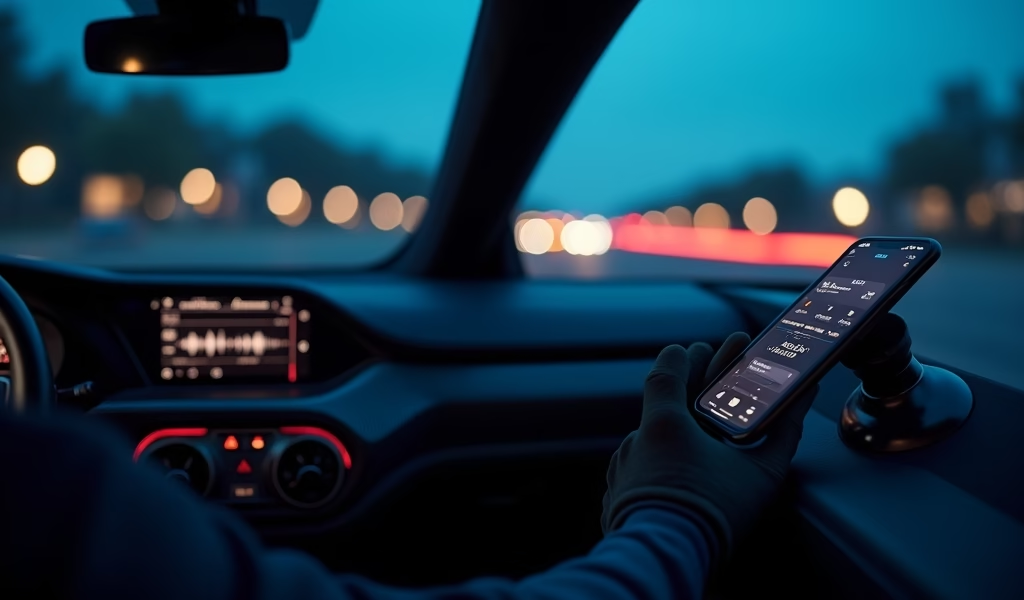
- Position your phone strategically: Use a quality mount placed where you can glance at it safely. The best position is usually near your line of sight to the road, allowing quick glances without completely taking your eyes off your path.
- Master voice commands: Both Android Auto and CarPlay respond to phrases like “Play my Driving playlist” or “Skip this song.” Learning these commands keeps your hands on the wheel where they belong – I consider this as essential as knowing how to operate your turn signals.
- Update your system: Many manufacturers release firmware updates that improve streaming compatibility. These updates can fix bugs and add features just like software updates for your phone.
I recently helped a customer who was constantly frustrated with his streaming setup. After properly configuring his phone to automatically connect to his car’s Bluetooth and showing him basic voice commands, his entire driving experience transformed. “It’s like having a conversation with my car now, instead of fighting with it,” he told me during his next oil change.
Remember that the best setup is one you configure once and rarely need to adjust again. The goal is to make your music feel like it’s simply part of your car, not a separate technology you’re managing while driving.
Improve Your Audio Experience
Even modest vehicles can deliver impressive audio quality with the right adjustments. Your car’s interior creates a unique acoustic environment – essentially a small room with unusual shapes, materials, and constant background noise. Understanding this environment is key to getting the best sound.
Think of sound adjustment as fine-tuning your engine – small tweaks can yield significant improvements in performance.
Here’s my audio optimization checklist that I share with customers:
- Balance bass and treble appropriately: Highway driving typically benefits from slightly elevated bass to overcome road noise. For talk radio or podcasts, boost the mid-range frequencies (around 1-3kHz) for clearer vocals. Most people instinctively crank the bass too high, which can actually muddy the overall sound.
- Adjust speaker fader and balance: Most drivers benefit from having the sound field centered slightly ahead of their seating position. This creates a more natural “soundstage” as if the performers were on your dashboard. I typically recommend setting the fader two clicks toward the front speakers.
- Utilize genre-specific equalizer presets: Many streaming services offer these built-in. Rock and electronic music sound best with a “smile” EQ curve (boosted lows and highs), while jazz and classical benefit from a flatter, more natural response that preserves the original recording’s character.
- Consider basic speaker upgrades: Even modest speaker replacements can dramatically improve sound quality. For around $100-200, you can upgrade your front speakers – where 80% of sound perception occurs. It’s like replacing worn tires – the same power delivers a much better experience.
One of my favorite customer transformations involved a teacher with a 45-minute commute each way. She loved audiobooks but struggled to hear details clearly. After we adjusted her EQ settings to enhance vocal frequencies and slightly upgraded her front door speakers, she called it “like getting a hearing upgrade.” The books that had been straining her attention became immersive and effortless to follow.
For those considering more significant audio improvements, comprehensive guides on car audio can help you understand which components deliver the biggest improvement for your specific vehicle and listening preferences.
Remember that the goal isn’t necessarily maximum volume or window-rattling bass (though some customers certainly prefer that!) – it’s creating clear, balanced sound that enhances rather than distracts from your driving experience.
Prepare for Signal Challenges
Even with today’s extensive cellular networks, coverage gaps still exist. As someone who regularly drives through rural areas for service calls, I’ve learned that preparing for connectivity challenges is like carrying jumper cables – you might not need them often, but you’ll be grateful when you do.
Signal loss can transform your carefully curated soundtrack into frustrating silence. But with some preparation, you can ensure the music never stops – even when the bars on your phone disappear.
Here’s my strategy for uninterrupted listening:
- Create “dead zone” playlists: If your commute includes known signal gaps (like that stretch between exits 23 and 28 on the highway), prepare offline content specifically for these areas. I have customers who’ve mapped their entire commutes by connectivity strength.
- Use hybrid streaming services: Some apps, like Spotify, seamlessly transition between streaming and downloaded content without interruption. This intelligent switching happens automatically when configured correctly, creating an unbroken listening experience regardless of signal strength.
- Consider a signal booster: For rural drivers who regularly travel through spotty coverage areas, vehicle-mounted cellular boosters can significantly improve connectivity. While not inexpensive (typically $200-500), they can transform unusable signal areas into functional coverage zones.
- Implement smart playback options: Many services offer automatic playlist continuation when signals drop – enable this feature before beginning your journey. It’s like having an automatic transfer switch for your entertainment system.
- Have analog backup: Keep a few favorite CDs or a USB drive loaded with music as your emergency entertainment reserve. Just as you wouldn’t drive without a spare tire, don’t rely exclusively on streaming without a backup plan.
A contractor who frequently drives between job sites in remote areas shared his clever solution with me: he created a series of 30-minute playlists downloaded to his phone, each designed to get him through specific dead zones on his regular routes. “It’s like having stepping stones across a stream,” he explained. “I never worry about getting stuck without my music anymore.”
This preparation is especially important for longer road trips through unfamiliar territory. Nothing dampens a vacation spirit faster than losing your carefully curated road trip soundtrack right as you’re hitting the open road.
The FCC’s mobile coverage maps can help you identify potential dead zones before your journey, allowing you to prepare downloaded content strategically.
Conclusion
Internet radio streaming has transformed our vehicles from simple transportation into personalized entertainment spaces that rival home stereo systems. The days of being limited to local radio stations or carrying stacks of CDs are firmly in the rearview mirror.
By implementing these five professional tips – choosing the right service, managing data usage, optimizing your setup, enhancing audio quality, and preparing for connectivity challenges – you’ll elevate your driving experience to new heights. Your daily commute can become less of a chore and more of a pleasure when accompanied by the perfect soundtrack.
As a mechanic who’s witnessed the evolution of car audio systems over decades, I’m continually amazed at how accessible high-quality streaming has become. What once required expensive, specialized equipment is now available to virtually everyone with a smartphone and a basic connection to their vehicle’s audio system.
Remember that like any aspect of your vehicle, your streaming setup benefits from occasional maintenance and updates. New apps emerge, services evolve, and connection technologies improve. Taking a few minutes every few months to reassess your streaming strategy can keep your audio experience running as smoothly as a well-tuned engine.
The open road awaits, and now you have the knowledge to fill it with whatever sounds bring you joy. Whether that’s the latest chart-toppers, fascinating podcasts, or beloved classics, internet radio streaming puts it all within reach of your fingertips.
Safe driving and happy listening!
Frequently Asked Questions
How much data does music streaming use while driving?
Streaming music typically uses 50-150MB per hour at standard quality. At high quality, this can increase to 300MB per hour or more.
Do I need a special stereo system to stream internet radio in my car?
No, any car can stream internet radio using Bluetooth, an auxiliary cable, or a USB connection. Newer vehicles with Apple CarPlay or Android Auto provide the most integrated experience.
What’s the best streaming service for areas with poor cell reception?
Services with robust offline listening features like Spotify Premium, Apple Music, or Amazon Music work best in poor reception areas. Download your content before traveling through known dead zones.
Will streaming drain my car’s battery?
Streaming itself uses minimal power, but running your car’s audio system for extended periods while the engine is off can drain your battery. It’s best to stream with the engine running or at least in accessory mode for short periods.
How can I reduce audio lag when streaming in my car?
For Bluetooth connections, use a newer Bluetooth version (4.0+) and keep your phone close to the receiver. Wired connections via USB or auxiliary cables eliminate lag completely.